


Product Details

Using Latest AI Algorithms
This fully automated real-time analysis requires no hair clipping and allows for appropriate treatment plans and objective outcome monitoring to be easily communicated to your patients.
- Powerful, immediate, non-invasive hair consultation
- No outside lab fees required
- Instant results accelerate patient decision-making
- Immediately converts patients to hair services
- Easy photography by office staff
AFTER

BEFORE

Drag the slider to see the before and after image
Comparisons
Show baseline and follow-up for both trichoscopy and global images with HairMetrix Compare mode to demonstrate treatment progress between visits.
CONTACT US
Reports
Customized with your practice branding, personalized reports record easy-to-understand information for use in client education and treatment planning.

Personalized Recommendations
Easily add products, treatments and services to Canfield's Industry Brand Library for a streamlined recommendations process that is personalized for your practice. Select from a wide range of hair care products and treatments to provide each client clear, targeted recommendations, personalized for their plan.
GO TO BRAND LIBRARYProduct Integration
D2
VEOS
Global Hair Device

Overview
Documentation and precision in every capture.
Captures both trichoscopy and clinical images. Navigate to the target area to capture and localize images directly from the scope.
- Unrivaled image quality
- Most efficient workflow
- Award winning design
Dive Into the Details
Tech Specs
- Magnification:
- 15x-200x
- Screen:
- High resolution multi-touch display
- User Interface/ Controls:
- Physical button keypad capture interface
- Cone Accessories:
- Smart Contact, Non-contact, and Hair Cone Attachments with Auto Recognition
- Connectivity:
- USB 3.0 for Fast Communication
Device Size and Weight
- Overall Length:
- 27 cm (10.62 inches)
- Overall Width:
- 7.4 cm (2.91 inches)
- Overall Depth:
- 10.5 cm (4.13 inches)
- Handle Length:
- 14.2 cm (5.61 inches)
- Cylinder Length:
- 6.3 cm (2.47 inches)
- Cylinder Diameter:
- 5.6 cm (2.21 inches)
- Weight:
- 500 g (17.6 ounces)
Windows Computer Minimum Requirements
- Windows hardware: 2023 or newer
- Operating system
- Windows 11 Professional 64 bit
- Not Supported: Windows Home Edition
- Processor: 14th Gen (or higher) Intel Core i7/Ultra 7, or AMD equivalent (14th Gen or higher Intel Core i9/Ultra 9, or AMD equivalent, recommended)
- System memory (RAM): 32 GB or higher recommended
- Minimum 5 GB available disk space for installing application
- Minimum 500 GB available disk space (1TB or higher recommended for capturing to local database)
- USB Ports: 1 USB 3.0 (or higher) port required for D2 Scope
- Graphics card:
- 4 GB dedicated memory minimum (or higher)
- Dedicated nVidia or AMD cards (nVidia Highly Recommended)
- Driver: latest available
- 3.0 or later Open GL
- Display: 1920 x 1080 (FHD) minimum; 3840 x 2400 (4K) maximum (max 200% scaling)
- 1 Gbps wired LAN connectivity (Wi-Fi not supported)
Windows Server Minimum Requirements
- Windows Server 2022 64-bit or 2025 64-bit
- Microsoft SQL Server 2019 or 2022 (Express edition is installed by default)
- 2023 or newer processor
- 16GB or higher memory
- 1 Gbps wired LAN connectivity (Wi-Fi not supported)
- 1 Terabyte HDD recommended. Space required is dependent upon patient volume and settings.
- RAID 1 - NOT SUPPORTED
- Regularly scheduled backups are highly recommended
Mac Computer Minimum Requirements
- Mac hardware: 2023 or newer
- Operating system: macOS Tahoe and Golden Gate
- Processor: Apple M3 (or higher) – Intel Processors not supported
- System memory (RAM): 16 GB (or higher)
- Minimum 4 GB available disk space for installing the application
- Minimum 500 GB available disk space (1TB or higher recommended for capturing to local database)
- Graphics card: Apple M
- USB Ports: 1 USB 3.0 (or higher) port required for D2 Scope
- Display: Effective Resolution of 1920 x 1080 or greater
- Optional: 1 Gbps wired LAN connectivity (remote DB access not supported over Wi-Fi)
Mac File Server Minimum Requirements
- Windows or Mac based server that meets Minimum Computer Recommendation
- Windows OS:
- Windows Server 2022 64-bit or 2025 64-bit
- Microsoft SQL Server 2019 or 2022 (Express edition is installed by default)
- macOS:
- MySQL Server 8.0.41 or higher
- 1 Gbps wired LAN connectivity (Remote Database access over Wi-Fi not supported)
- 16GB Memory (or higher)
- 1 Terabyte HDD recommended. Space required is dependent upon patient volume, camera used, and settings.
- RAID 1 - NOT SUPPORTED
- Regularly scheduled backups are highly recommended
Software
- HairMetrix® Module
- DermaGraphix® Module
Notes
- Server class OS not supported as a workstation
- WAN is supported only with 1/5/10Gbps connectivity.
- Workstation based cloud licensing
- Space required dependent upon patient volume
- XP and NP bodymap photos with ten D2 dermoscopy images (XP, NP, UV): 3 GB; 333 sessions per TB
- XP (only) bodymap photos with ten D2 dermoscopy images (XP, NP, UV): 2.3GB; 445 sessions per TB
- A minimum of 1 Gbps network speed is required to access the storage location of the live copy of the data (10 Gbps recommended). Wi-Fi is not supported for workstation connectivity
- Maximum 25ms latency required to the storage location of the live copy of the data
- Anti-virus exceptions must be put in place to avoid any latency
- SSD Storage is highly recommended
- Cloud storage (Azure, AWS, Google Cloud, Etc.) is not supported for storing data, but can be used for backup purposes
- RAID 1 is not supported
- The Machines/PC/Server where the Canfield services are running must have a static IP address
- In a networked environment, the services(s) need to run with a dedicated service account where the password does not expire, and it has access to the DB and the images folder

Overview
See hair in the highest fidelity possible right on your phone screen. Utilize the iOS App with cloud-based image management or can pair locally to a HairMetrix Workstation.
- Cases for most iPhones® or iPad® Mini - simple magnetic attachment
- Easily cast your phone to a second screen for a high-impact consultation experience.
Dive Into the Details
Tech Specs
- Magnification:
- 12.5x
- Size:
- 104.7mm (4.12’’) x 50mm (1.96’’) x 25.4mm (1’’)
- Cone Accessories:
- Smart Contact, Non-contact, and Hair Cone Attachments
- Supported
Apple Models: - iPhone 14/iPhone 14 Pro/Pro Max
- iPhone 15/iPhone 15 Pro/Pro Max
- iPhone 16/iPhone 16 Plus/Pro/Pro Max
- iPhone 17/iPhone 17 Pro/Pro Max/Air
- iPad Mini (A17 Pro)
- iPad Air 11 Inch M2/M3/M4

Overview
Easily capture high-quality, standardized, global hair images. The SLR camera slides on rails and clicks into place for each desired view.
- Headrest and chin cup ensure consistent patient positioning
- Camera-mounted macro flash provides superior lighting
- MatchPose® live images overlay makes it easy to capture perfectly registered images to document progress over time
Dive Into the Details
Tech Specs
- Overall Width:
- 13"
- Overall Depth:
- 22"
- Overall Height:
- 24.5" (30" when camera in vertex position)

What our Experts Say...

Glynis Ablon MD, FAAD
Glynis Ablon MD, FAAD
“This is one of my favorite devices! We use it on all of our patients that come in for hair loss or hair issues. It really is a wonderful addition to our hair research as well as our general medical population.”
Ablon Skin Institute & Research Center
Manhattan Beach, California


Ronda Farah M.D., F.A.A.D.
Ronda Farah M.D., F.A.A.D.
“HairMetrix takes the hair loss assessment from a general impression to a true data driven visit”
Alluma Dermatology
Medina, Minnesota

 Clinical Publications
"Oral Minoxidil For Late Alopecia In Cancer Survivors" Featured In Breast Cancer Research and Treatment
August 4, 2024 Read More
 Clinical Publications
"A Prospective, Multi-Center Study to Evaluate the Safety and Efficacy of a Vegan Nutraceutical to Improve Hair Growth and Quality in Females Following a Plant-Based Diet" Featured in Journal of Drugs in Dermatology
July 30, 2024 Read More
 Clinical Publications
"Evaluating Subjective Versus Objective Measures of Changes in Hair Density Using Standardized Scalp Photography" Featured in Journal of the American Academy of Dermatology
September 27, 2023 Read More
 Clinical Publications
"PTT-6™, A Novel Topical Hair Serum With Stem Cell Growth Factors Significantly Increases Hair Growth in Patients With Hair Loss - A 12-Week Prospective, Open-Label Case Series
November 23, 2022 Read More
 Clinical Publications
"Oral Minoxidil for the Treatment of Late Alopecia in Cancer Survivors" Featured in Journal of Clinical Oncology
June 2, 2022 Read More
 Clinical Publications
"The Potential Relevance of the Microbiome to Hair Physiology and Regeneration: The Emerging Role of Metagenomics" Featured in Biomedicines
February 26, 2021 Read More
 Blog
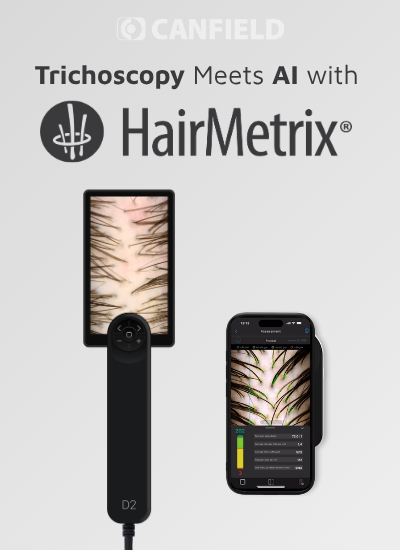
Trichoscopy Meets AI with HairMetrix®: A Smarter Approach to Hair Consultations
October 26, 2026 Read More
 In The Media
HairMetrix® and VISIA® Featured in Women’s Health Magazine for Advancing AI-Powered Skin and Hair Consultations
August 1, 2026 Read More
 Product Education
HairMetrix® vs. Traditional Methods: Redefining Hair Consultations with Precision and Efficiency
September 3, 2024 Read More
 Blog
Every Strand Counts! Observing Hair Loss Awareness Month with Dr. Glynis Ablon, MD, FAAD
August 1, 2024 Read More
 In The Media
A “Super Tool” for Hair Consultations: HairMetrix® featured on Sunrise Morning Show with Dr. Khan
July 22, 2024 Read More


